Automations let you put your AI tasks on autopilot. Instead of opening a tool every morning to run the same prompt, set it to run automatically on a schedule and email you the results — so the work is waiting in your inbox.
This guide covers how Automations work and where you can use them.
What are Automations?
An Automation is an AI task that runs by itself on a schedule. You set it up once, and it keeps going.
Each automation has four parts:
- A prompt — what you want the AI to do
- An AI model — which AI powers the task
- A schedule — when and how often it runs
- Email delivery — results land in your inbox
Create an automation
- Open the tool or AI agent you want to automate
- Write your prompt — describe exactly what you want it to do.
- Choose an AI model
- Set the schedule — Once, Daily, Weekly, or Monthly, at a specific time
- Choose to email the results
- Save
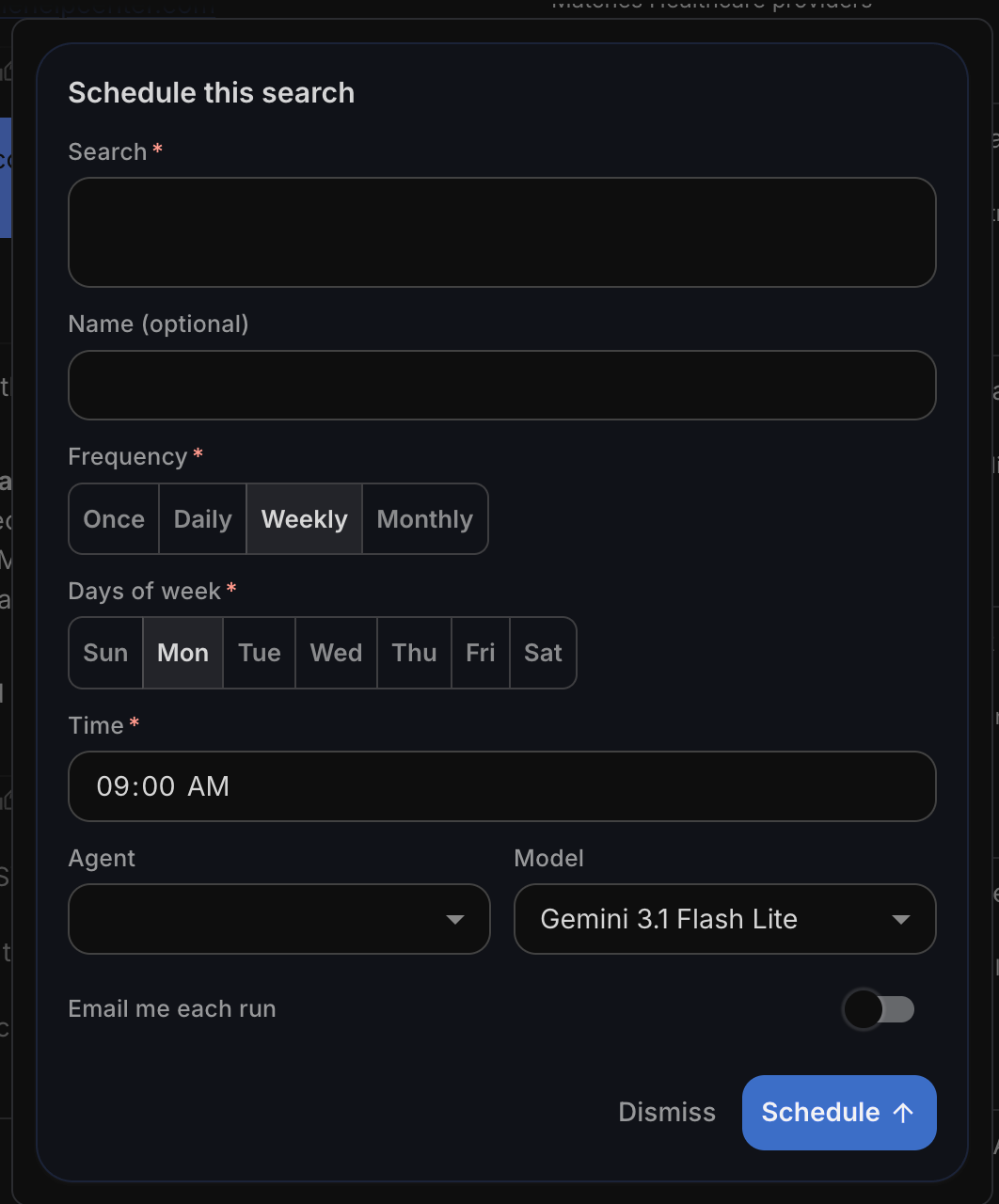
Example prompt: "Every morning at 8am, find dropping domains containing 'agent' or 'ai' and email me the results."
The more specific your prompt, the more useful your results.
Where you can use Automations
You can set up Automations across these tools and AI agents:
- Auto-Route
- Domain Search
- Domain Broker
- Domain Manager
- Drops Explorer
- Auctions Finder
- Social Media Manager
- Help Concierge
- Ask Anything
Ready-made automations
You don't always have to build one from scratch. AI Drop Hunter is a pre-built automation for domain investors that automatically finds dropping (expiring) domains matching your keywords and emails you the results. See AI Drop Hunter: Automatically Find Dropping Domains for a deep dive.
Choosing a model for automations
Available models:
- DeepSeek V4 Flash
- DeepSeek V4 Pro
- Gemini 3.1 Flash Lite
- Haiku 4.5
- Sonnet 4.6
- Opus 4.8.
Keep in mind: Automations that run often add up. A daily task uses far more credits over a month than a one-time run. Lean toward lower-cost models for frequent automations, and save the powerful ones for tasks that need extra depth.
See How to Choose Your AI Model for further details.
How it's billed
Each run uses AI credits — the more often it runs, the more credits over time, so factor your schedule into your budget. See AI Credits & Subscription: Pricing & How They Work for more details.
Questions?
Need help setting one up? Explore the agents in Getting Started with Unstoppable AI Agents, or reach our support team at support@unstoppabledomains.com anytime.