The Domain Assistant lets you search for available domains, uncover expiring and auction domains, and manage the domains you already own — all by chatting in natural language. Instead of clicking through filters, you can describe what you're looking for and the assistant does the searching.
Open the Domain Assistant here.
What the Domain Assistant does
- Find available domains to register, described in your own words, using the Domain Search sub-agent.
- Discover expiring and auction domains, including dropping names and domains up for auction, using the Drops Explorer or using the Domain Search sub-agent.
- Manage domains you already own, right from the chat, using the Domain Manager sub-agent.
- Get help buying or negotiating a domain you have your eye on, using the Domain Broker sub-agent.
Expand your portfolio or find new domain ideas with Domain Search
Tell the assistant what you want by theme, idea, keyword, or a mix. It can combine live web research with real-time availability. It can narrow results using filters such as keywords/themes, TLDs, length, and price.
Example: "Find me brandable 5-letter .com domains under $50"
Example: "Show me all agent related domains at auction"
Results appear in a preview area where you can filter, sort, and page through them; results can persist in your projects list so you can return later.
Select the Skills & Tools button to see all pre-made options:

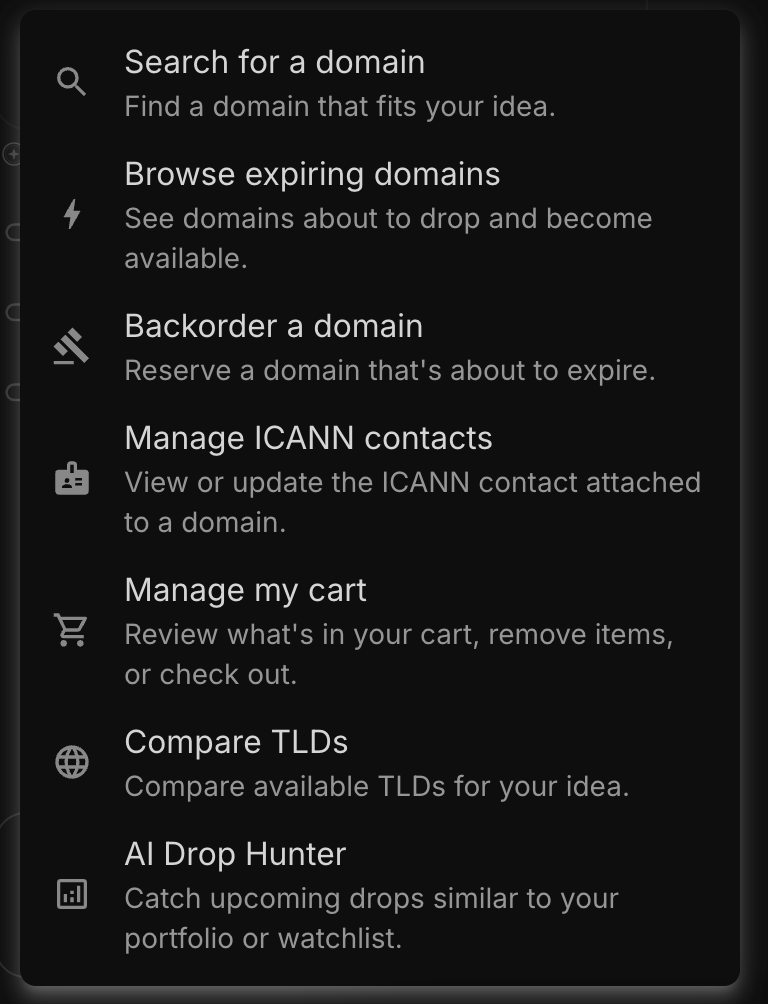
Discover expiring domains with Drops Explorer
- Expiring / dropping domains — names in pending-delete status on their way to becoming available.
- Auction domains — including user auctions and expired auctions.
Example: "Show me domains dropping this week related to AI agents"
Want this on autopilot? Use AI Drop Hunter to automatically hunt dropping domains on a schedule and email you results.
Select the Skills & Tools button to see all pre-made options:
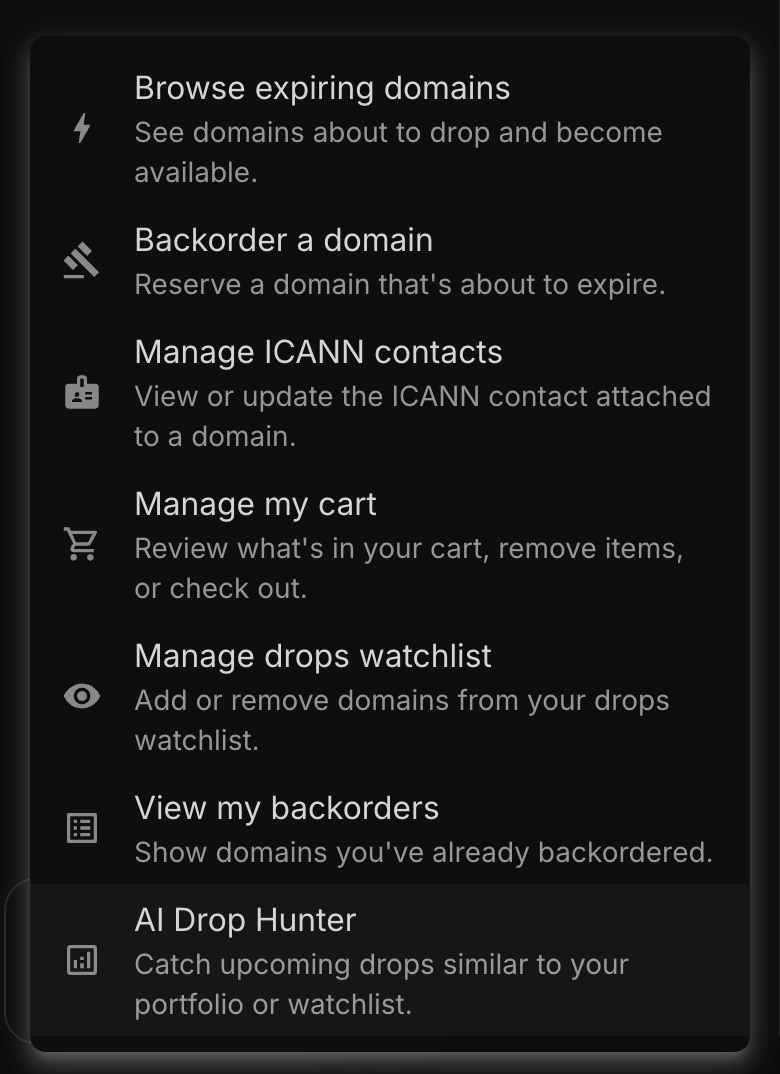
Manage your domains with Domain Manager
The Domain Assistant also helps you manage domains you already own using Domain Manager. Add DNS records, update nameservers, toggle auto-renew, and much more.
Select the Skills & Tools button to see all pre-made options:

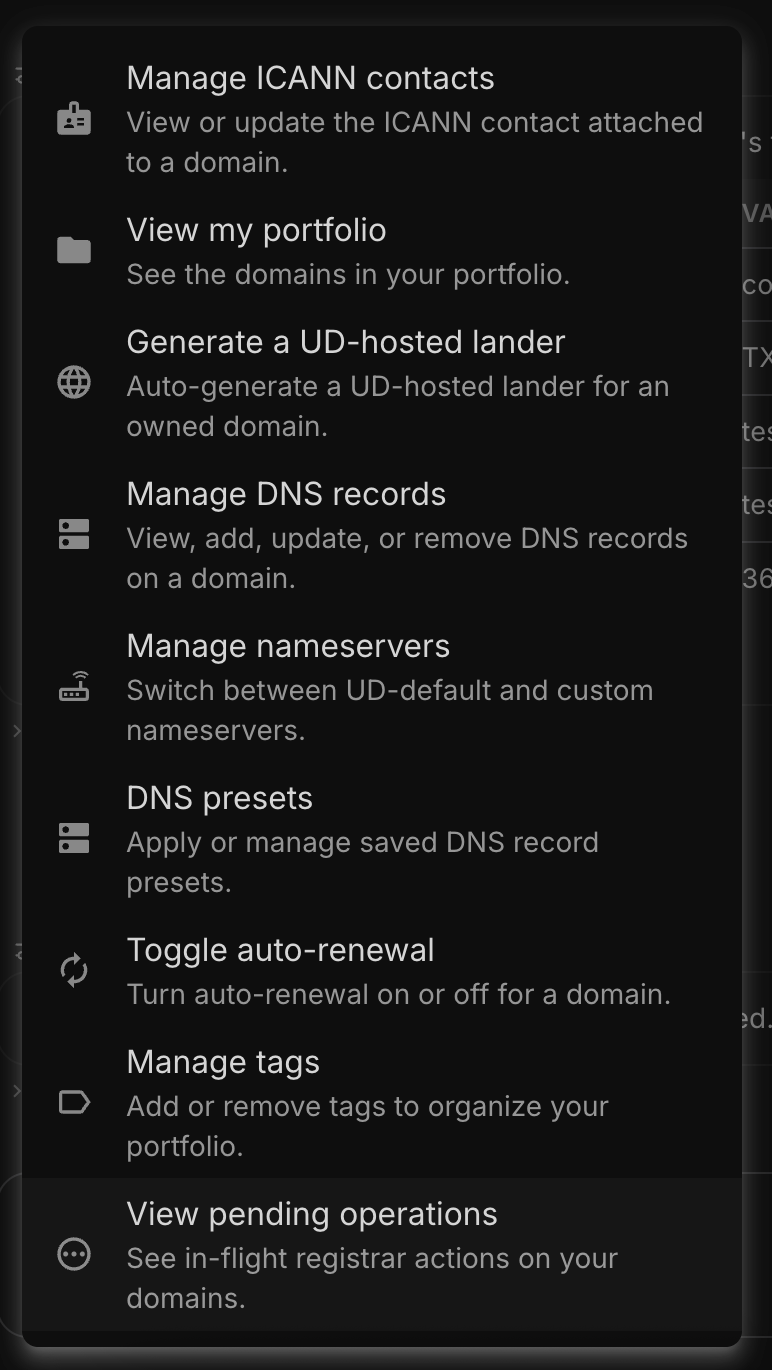
Get your domains sold with Domain Broker
Whether you are a professional domainer or looking to move a domain for a project you are no longer pursuing, our Domain Broker agent can help. Our Outbound Agent is tied to Domain Broker but you can use the agent to manage your listings, respond to offers, find comparable sales, and much more.
Select the Skills & Tools button to see all pre-made options:
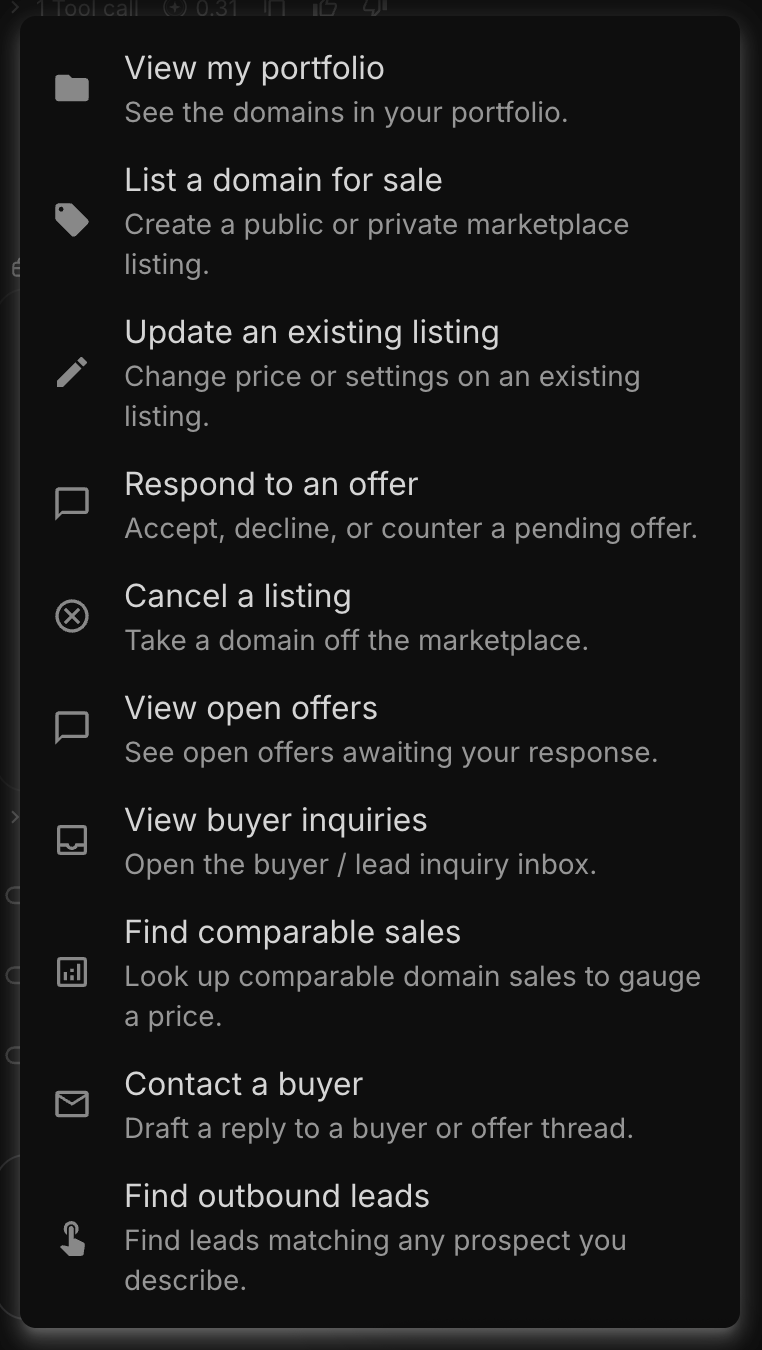
Choosing a model
The Domain Assistant lets you pick which AI model powers your chat.
Available models:
- DeepSeek V4 Flash
- DeepSeek V4 Pro
- Gemini 3.1 Flash Lite
- Haiku 4.5
- Sonnet 4.6
- Opus 4.8
For quick searches a fast, low-cost model is usually plenty; for nuanced work, step up. See How to Choose Your AI Model.
Tips
- Refine right in the chat ("make them shorter", "only .com", "lower the price").
- Combine web research with your search in one step
- Be specific about your goal (brand, project, or investment).
How it's billed
The Domain Assistant runs on AI credits; some actions are included and others use credits as you go. See AI Credits & Subscriptions: Pricing and How They Work.
Questions?
Explore the other agents in Getting Started with Unstoppable AI Agents, or reach our support team at support@unstoppabledomains.com anytime.