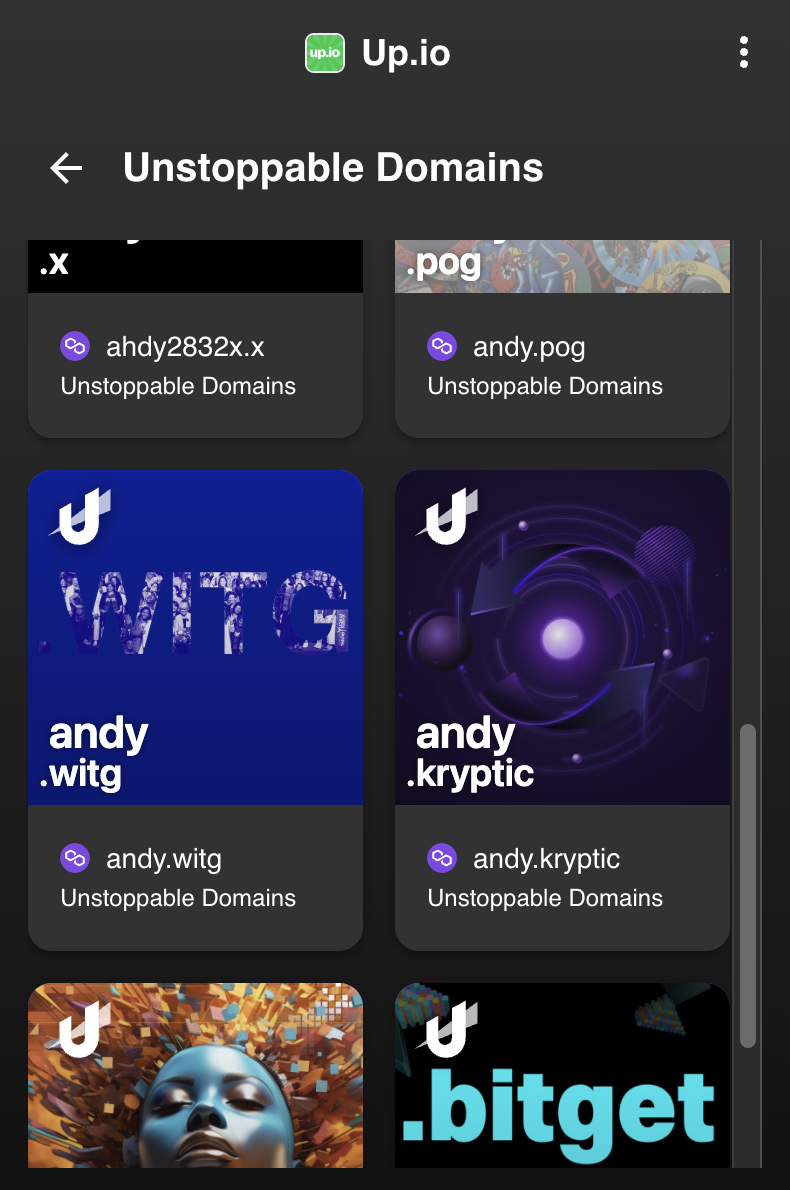
To transfer domains from the up.io wallet, you'll need to download up.io from here and log in to your account. We advise you download the browser extension.
Then, log in to unstoppabledomains.com on the same browser that has the up.io extension.
Locate the Ethereum/Polygon address from your up.io wallet. This will start with 0x. Copy this address for later: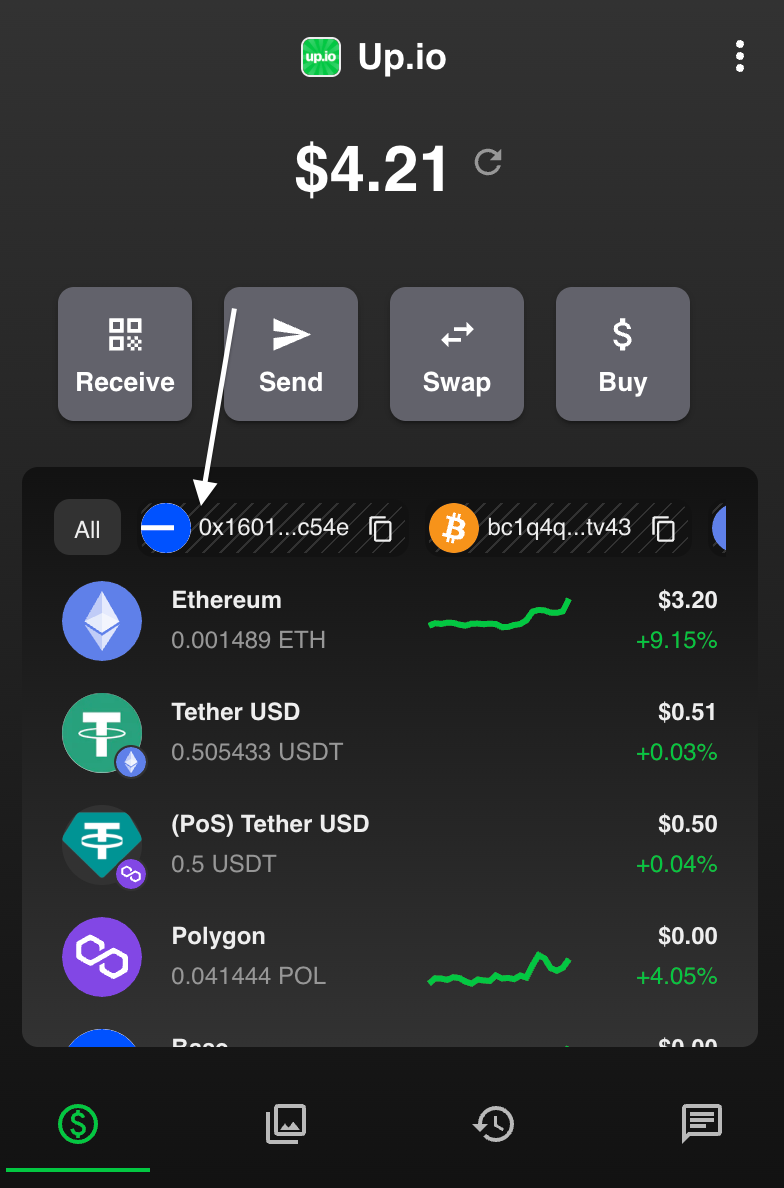
To transfer your domains in bulk, go your account settings page, and click 'Advanced > Move Domains Between Wallet':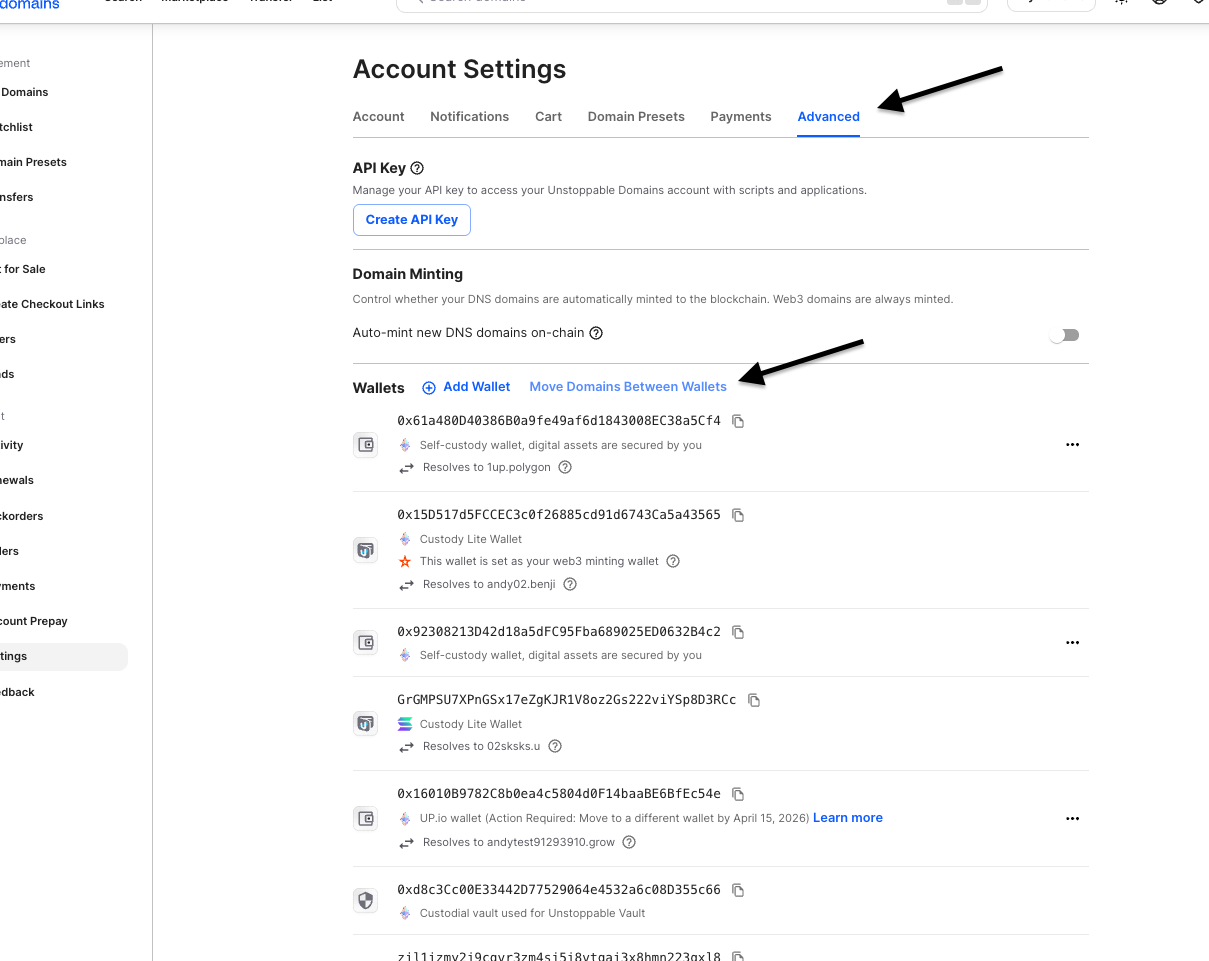
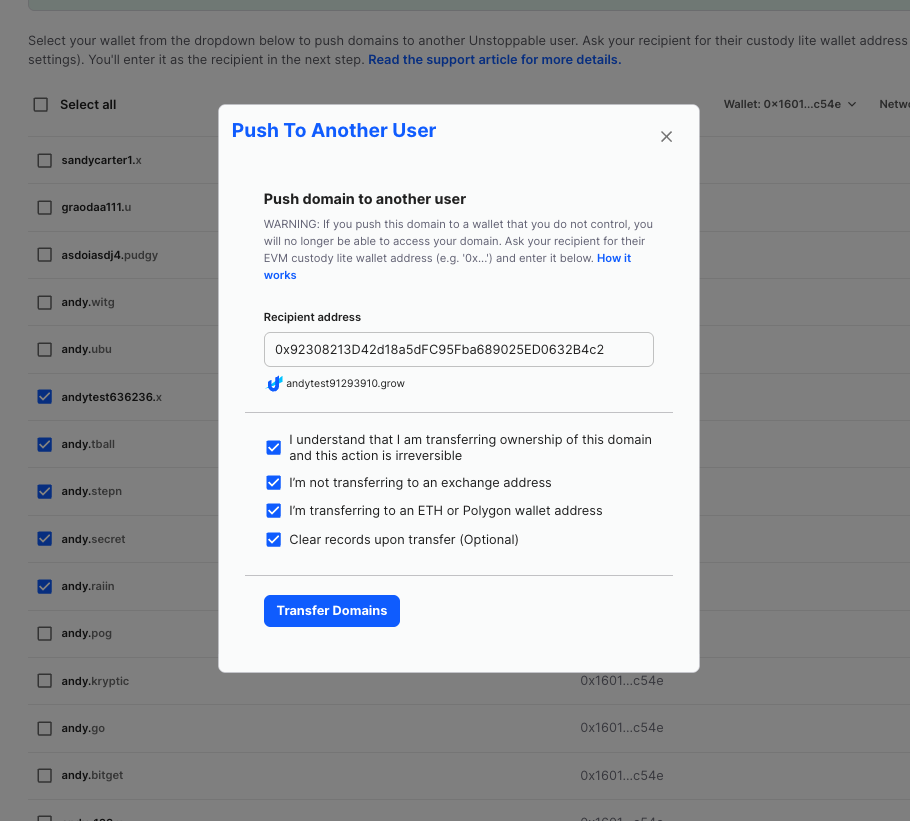
Select the address that corresponds with your lite wallet and select the domains you wish to transfer, then 'Push Domains':
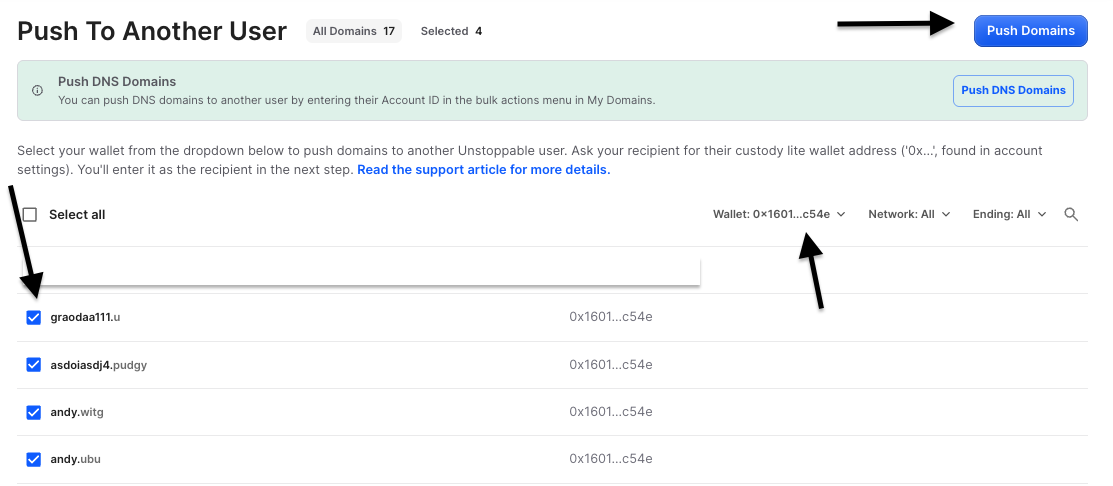
Input the wallet address that you'd like to move them to:
Sign the transaction with your up.io wallet:
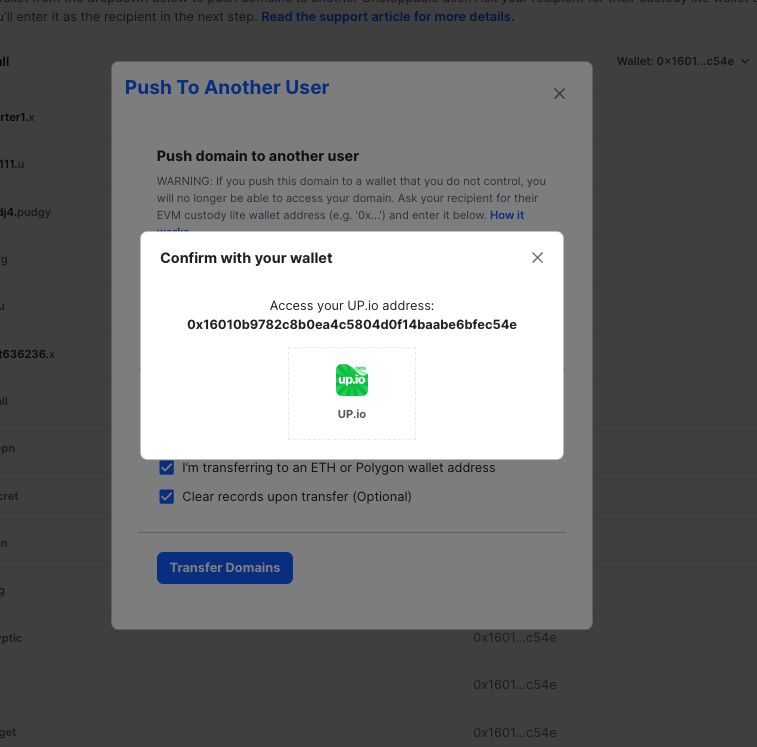
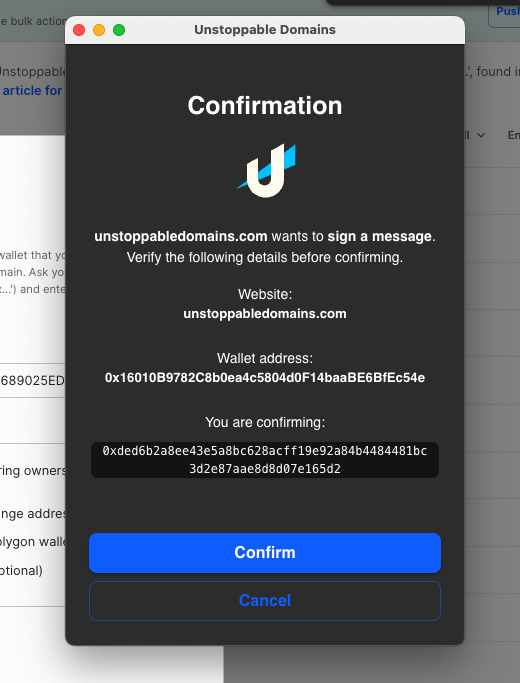
Please note, you will need to sign a transaction for each individual domain. They will pop up one after the other. You will also need a small amount of Pol in your wallet.
If your domain is a DNS domain, you will need to transfer them one by one, by logging into the up.io app and clicking 'Collectables':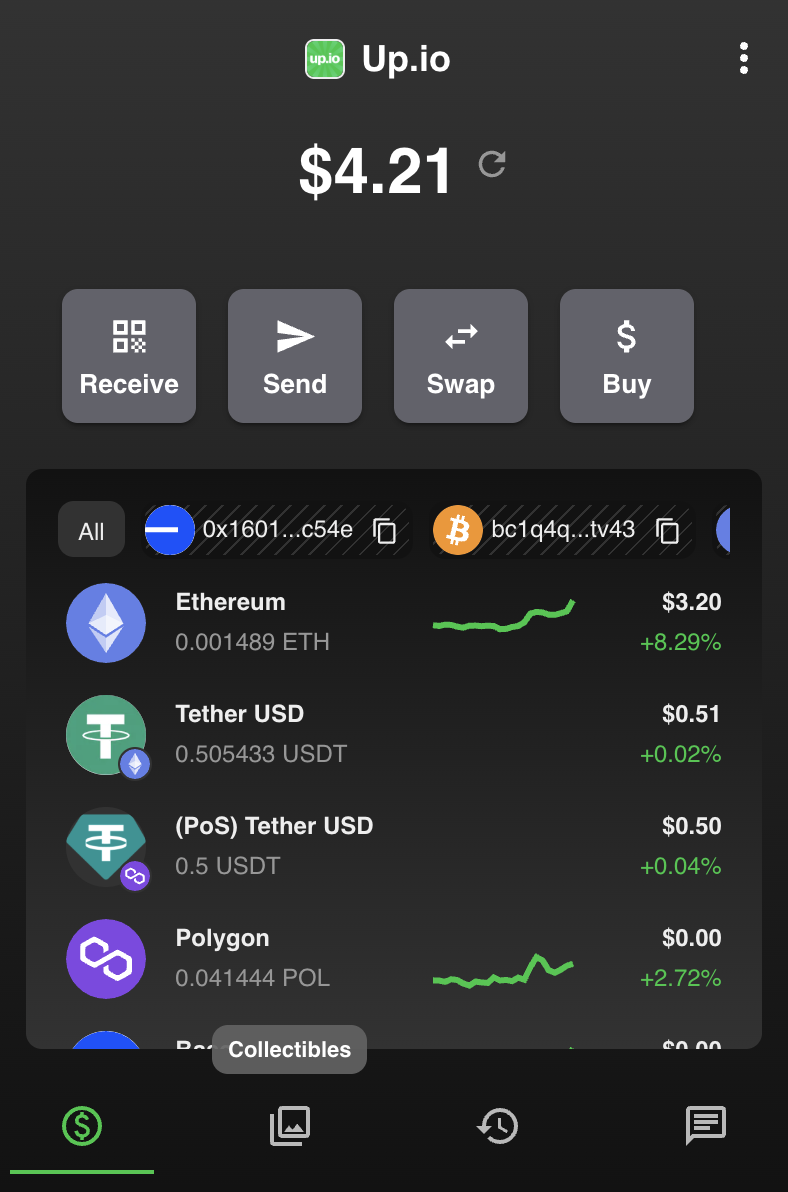
Then, click on the Unstoppable Domains under Polygon: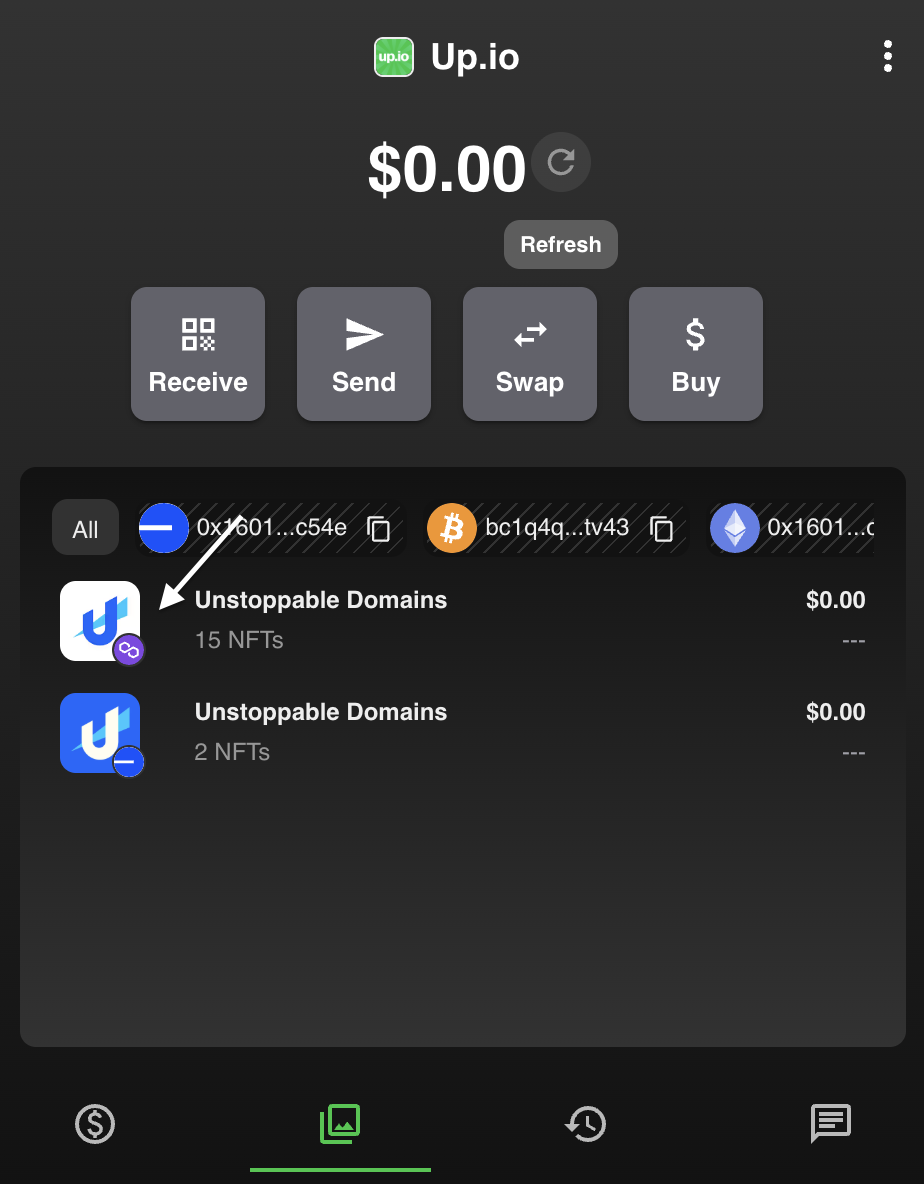
Here, you can select a domain and then click 'Send' to send to a new wallet: