Backorders let you reserve DNS domains that are owned by someone else but are close to expiring. When a domain expires, it goes through several stages (grace period, redemption, and pending delete) before it finally becomes available again. This is called the drop. When you place a Backorder, our system monitors the domain and automatically tries to register it when the drop occurs.
Finding Pending Delete Domains
You can search all pending delete domains in our Pending Delete search tab here under Marketplace. You can only place backorders on pending delete domains.
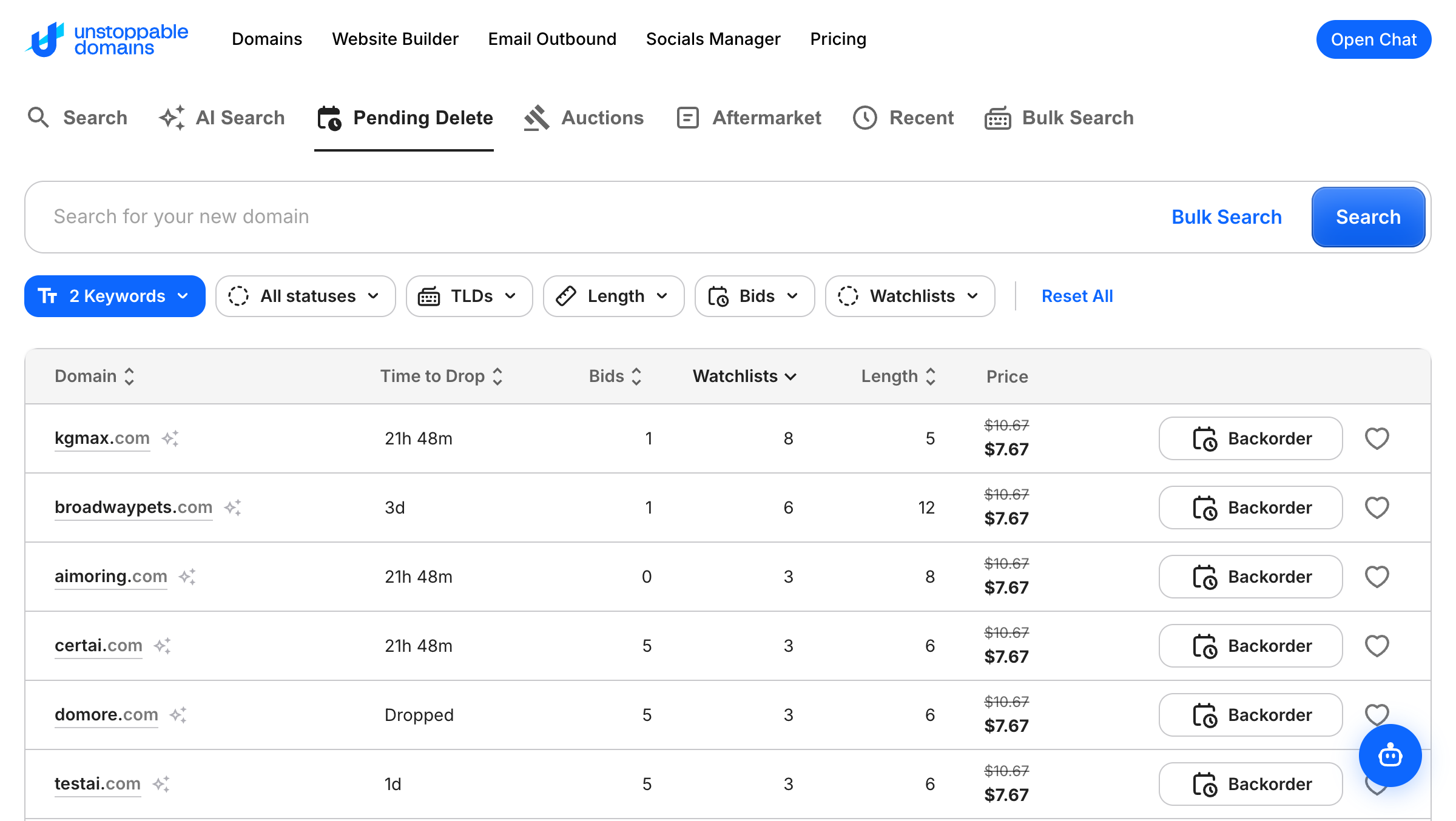
You can filter by various factors including:
- All Statuses, Dropping Soon, or Dropped
- Endings (limited to .com and .net at this time)
- Length (min to max)
- Number of Bids (min to max)
- Watchlists (min to max)
How to Setup a Backorder
1. You may be required to have Account Balance funds to place a backorder. Users have higher credit limits depending on the size of their porfolio and if they're in the Domainer Club. Read more about credit limits here. You can add funds by going here.
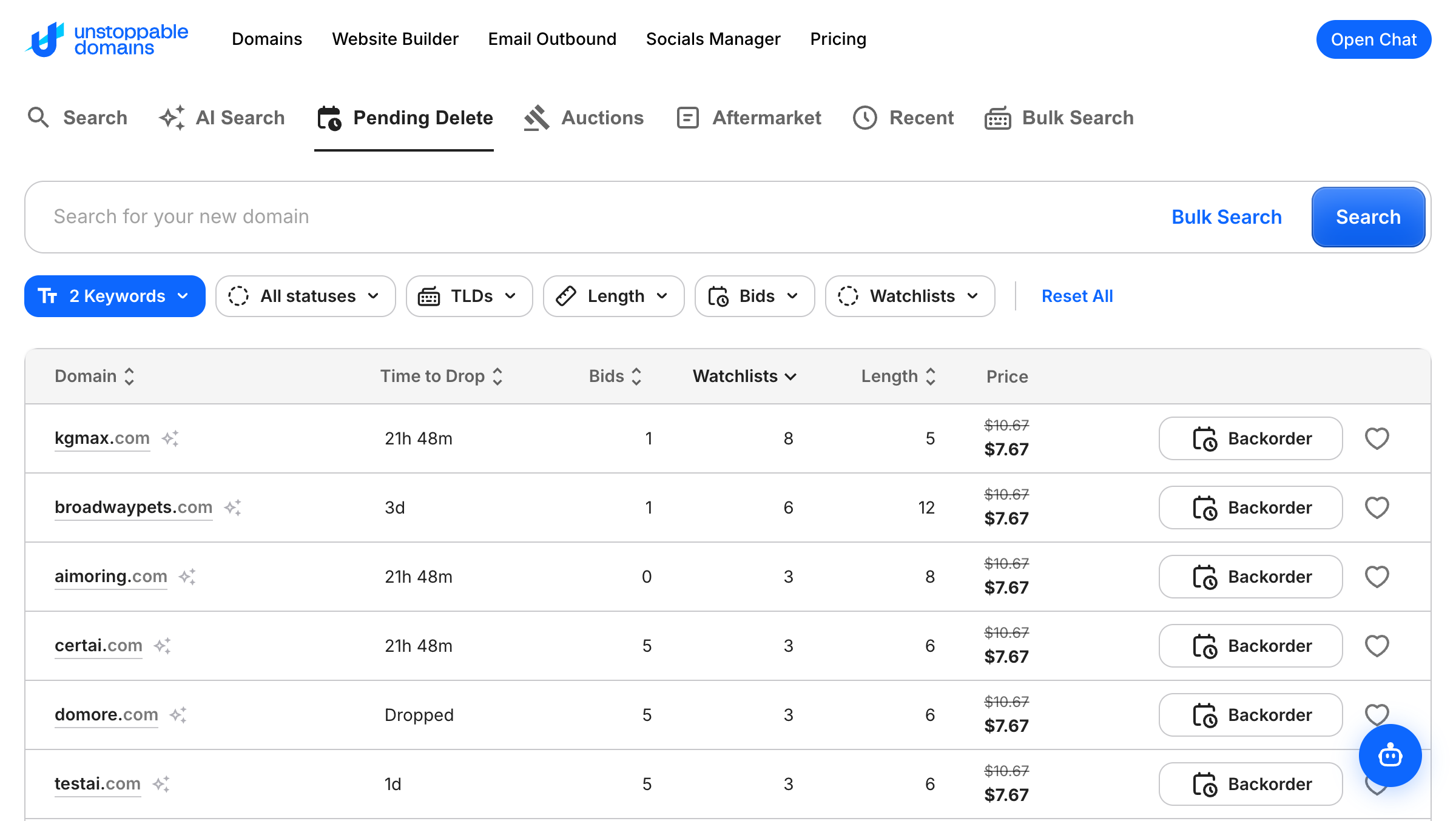
2. When you search a domain that is pending delete, you'll see the Backorder button. Click on the Backorder button to start the process.
3. You will be directed to the Create Backorder screen where you can review the price and press Confirm Backorder.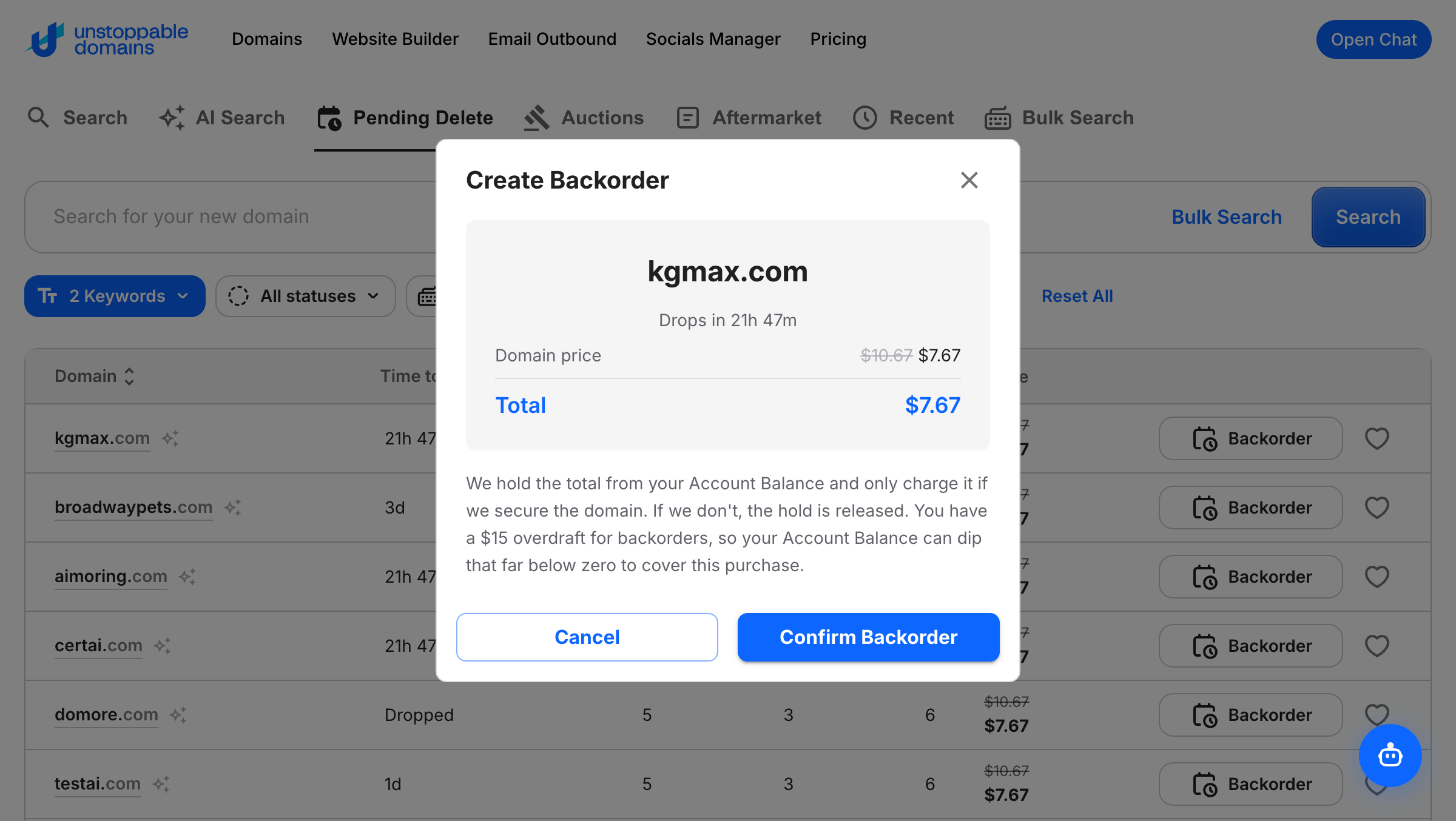
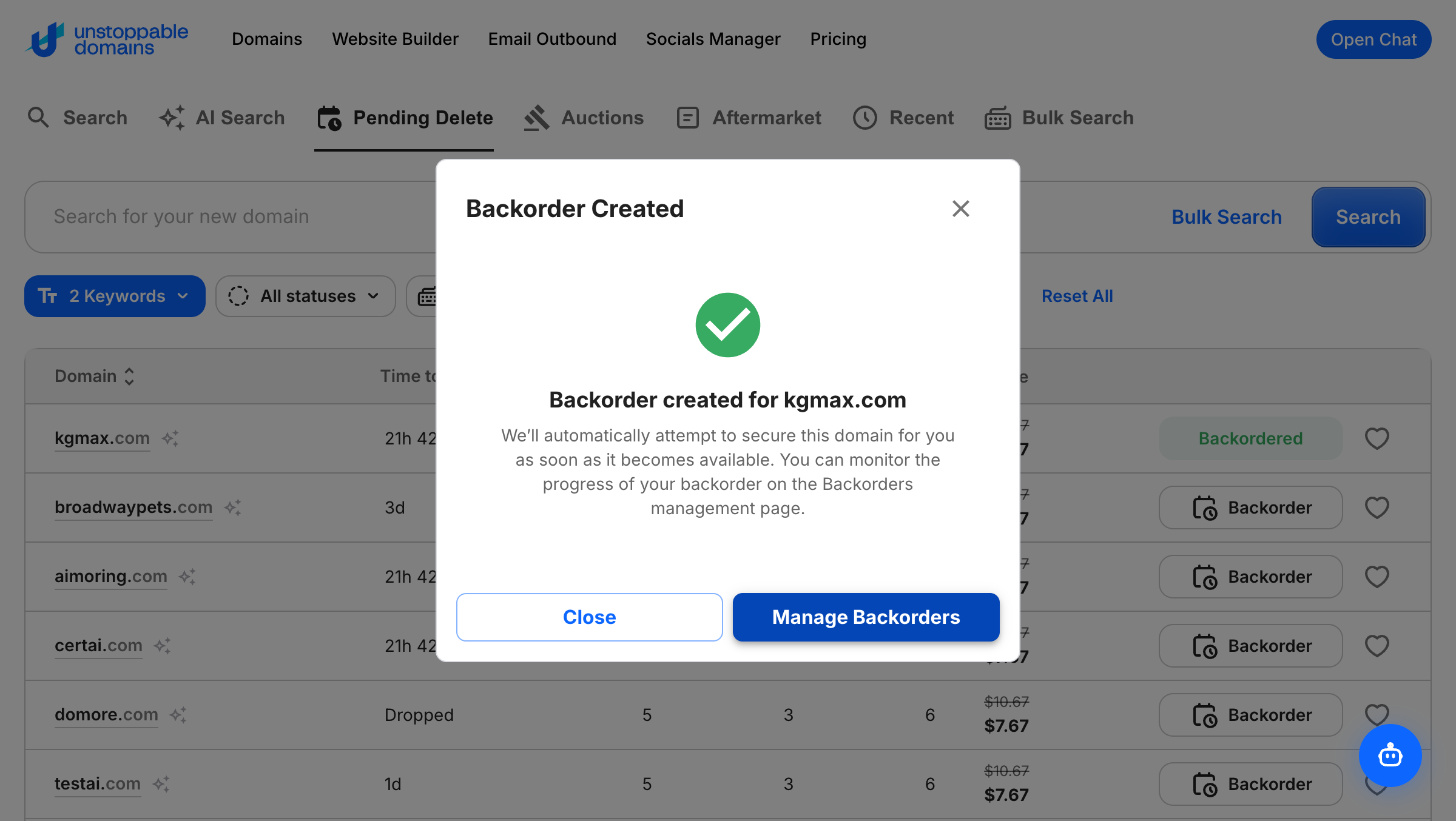
4. You will see the confirmation the Backorder was created and you can click Manage Backorders to see all of your Backorders.
How to Cancel a Backorder
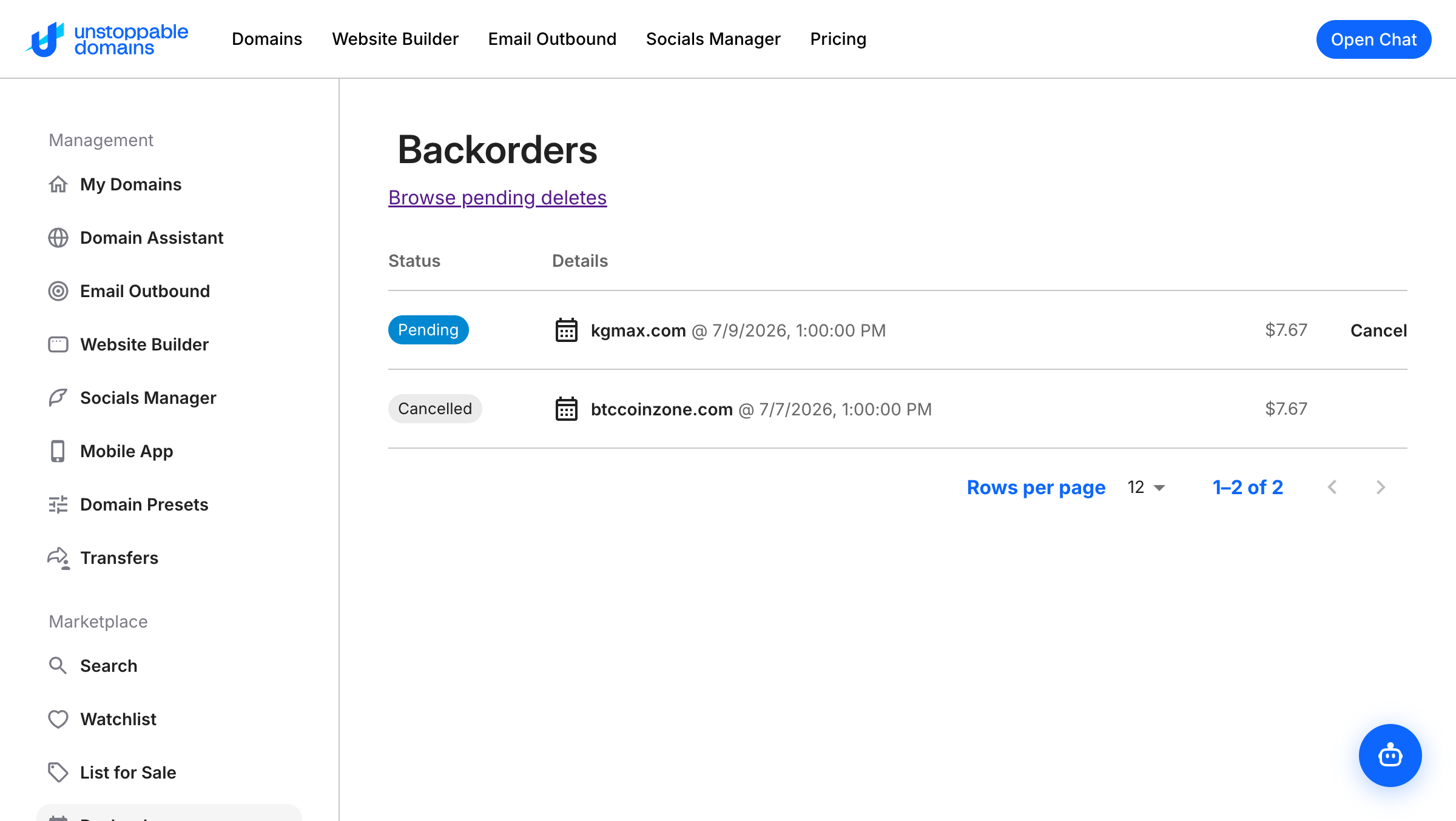
You can cancel a backorder by going into the Backorders tab, then clicking Cancel next to the backorder you would like to cancel.
Placing more than one backorder on the same domain
You can place a backorder on a domain even if someone else has already backordered it. More than one person can hold a backorder on the same domain at the same time.
When two or more people have backordered the same domain, the domain goes to auction instead of being registered for one person. This is called a contested backorder. Here’s how it works:
- The auction runs for 7 days.
- Everyone who placed a backorder on the domain is notified that it has entered auction.
- The person who placed the first backorder is entered as the opening bid automatically, with no action needed to stay in the auction.
- The opening price is the amount the first person paid for their backorder (at least the cost of the domain’s first year of registration, plus any service fee).
- Everyone else who backordered the domain has their initial backorder deposit released back to them.
- Anyone can bid. The auction is open to everyone, not just the people who placed a backorder.
- When the auction ends, the highest bidder receives the domain. If the winner has an Unstoppable Domains account, the domain is added to their account. If the winner is on Dynadot, they receive it through Dynadot.
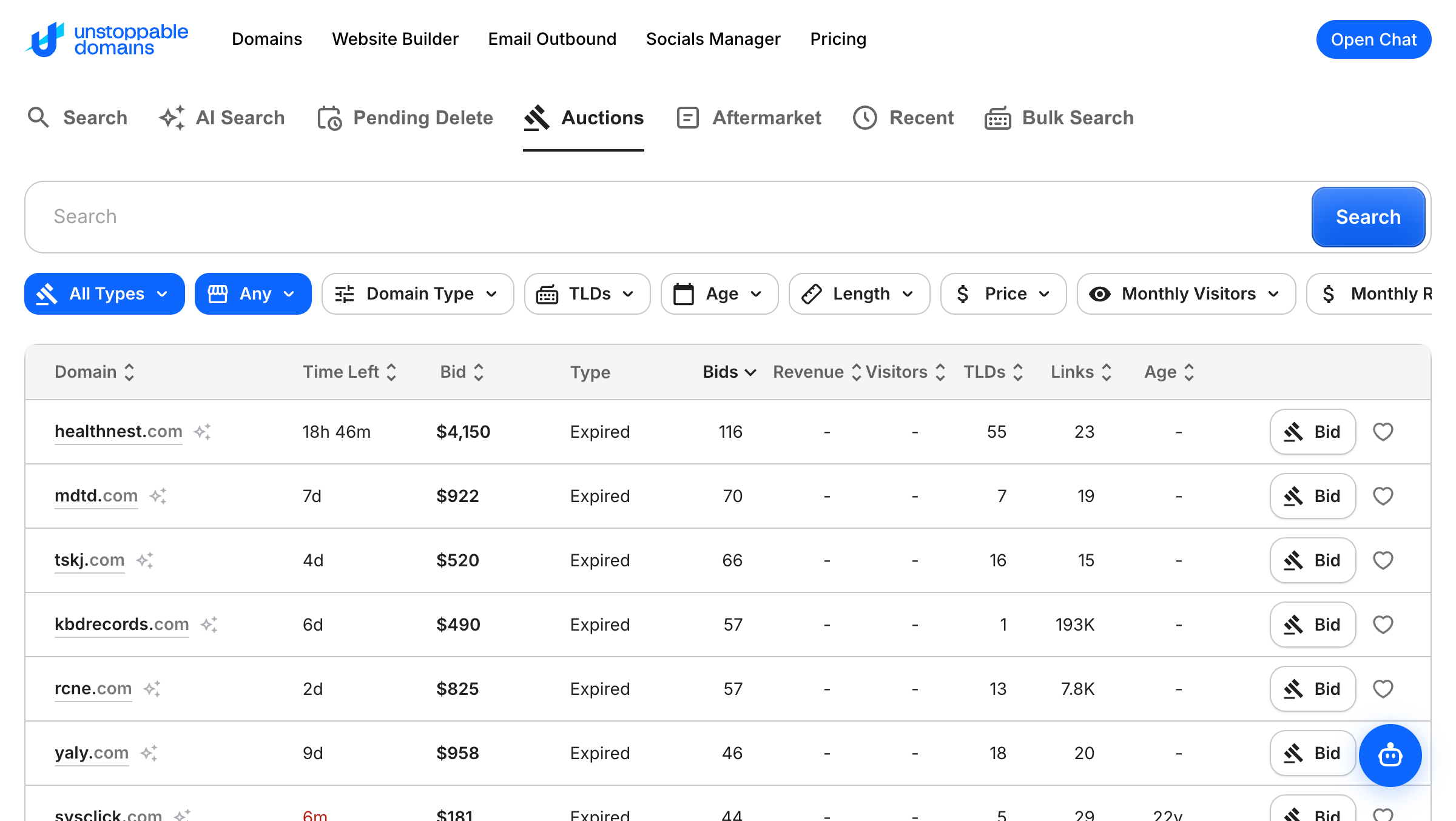
Contested-backorder domains appear in the Auctions tab under Marketplace here, where you can see the current bid, the number of bids, and the time left, and place a bid.
These auctions also appear on Dynadot’s auction page, so they are visible to bidders beyond Unstoppable Domains.
Some Things to Keep in Mind:
- You can only place a backorder on a domain that’s in pending delete.
- More than one person can place a backorder on the same domain. If a domain has competing backorders, it goes to a 7-day auction and the highest bidder wins.
- The Account Balance hold is deducted upfront for the registration cost of the domain. Holds are released if we don't catch the name.
- Domainer Club members are allowed a -$500 Account Balance hold overdraft, equating to ~80 backorders with $0 account balance. Non-Domainer Club members are not allowed any Account Balance overdraft, and they will need to preload account balance equal to the registration costs of all their desired backorders at least 3 days before if they plan to fund their Account Balance with a credit/debit card or PayPal.
- Our system monitors the domain and automatically attempts registration the instant it drops.
- You can cancel pending backorders anytime with an automatic refund to your Account Balance provided the backorder has not yet entered the in-progress state (after 2 PM ET / 11 AM PT / 7 PM UTC)
Service Fees:
- $0 for backorders submitted before the drop (before 2:00 PM ET / 11 AM PT / 7 PM UTC)
- $3.99 for backorders submitted in the 2 hour window just after drops start (2:00–4:00 PM ET / 11 AM PT - 1 PM PT / 7 PM - 9 PM UTC). This is nonrefundable, even if we don't catch the name