If you store your Domains in a self-custody wallet, like MetaMask or Coinbase Wallet, you can transfer them back to Unstoppable Domains' custody at any time. Your domains need to be in custody if you wish to claim a refund.
First, locate your Custody wallet address in your account settings. It will be named 'Custody Lite Wallet' and will start with 0x: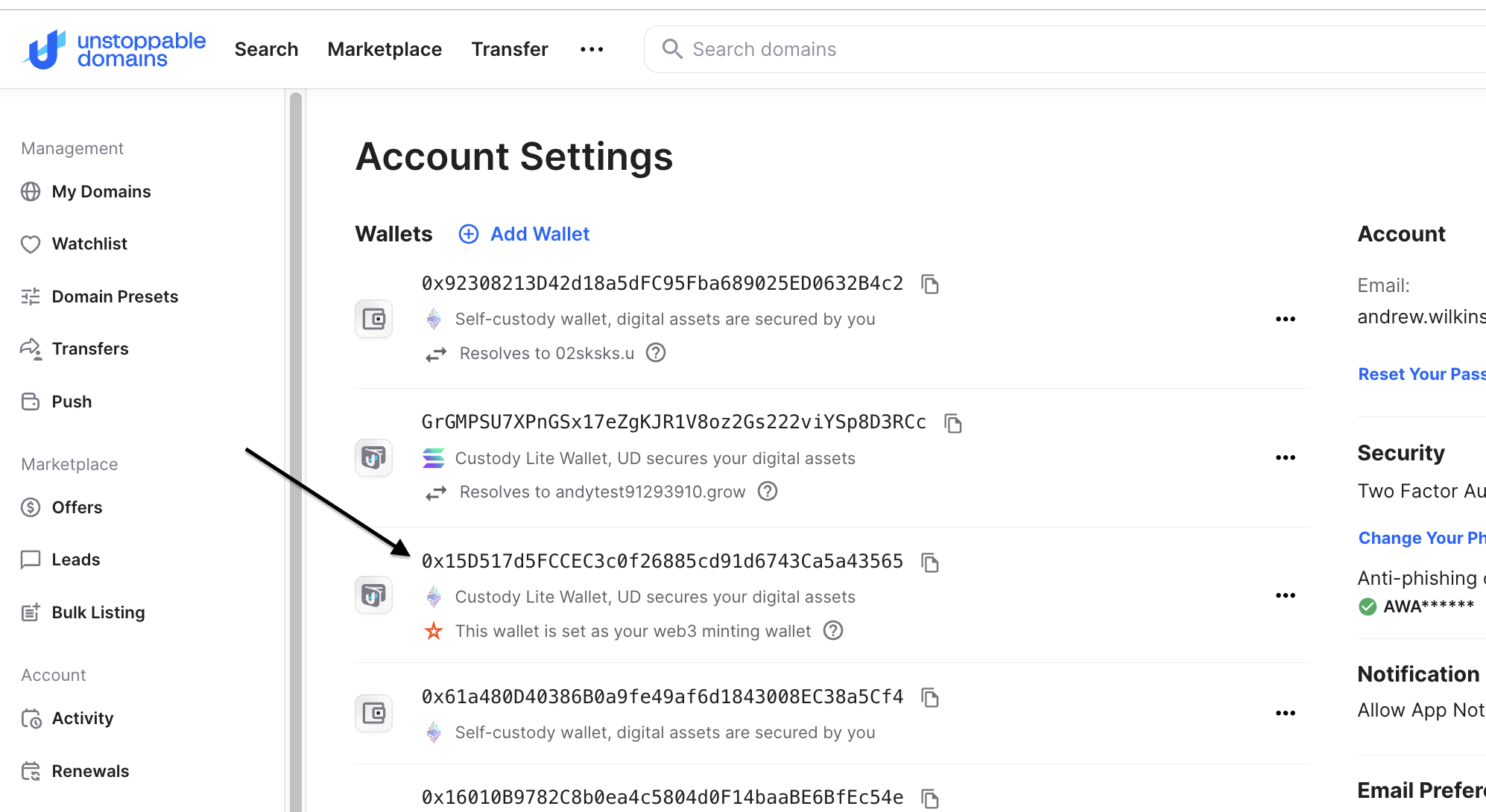
Copy that 0x address for transferring domains on Base, Polygon, and Sonic.
Please note: Domains on Base, Solana, and Sonic cannot be transferred in Bulk. These domains will need to be transferred individually.
In order to transfer your non-Polygon domains individually, you will need to select the individual domain on the My Domains page to open up domain management (not the check box but click on the domain name) and locate the transfer tab on the left side.
Paste your custodial wallet address, check the boxes, and sign with your wallet to complete the transfer.
You can filter by TLD on the My Domains page to easily find all domains you hold per TLD.
For Domains on Polygon
Go to: https://unstoppabledomains.com/domains/bulk-transfer. Select the "Push Web3 Domains".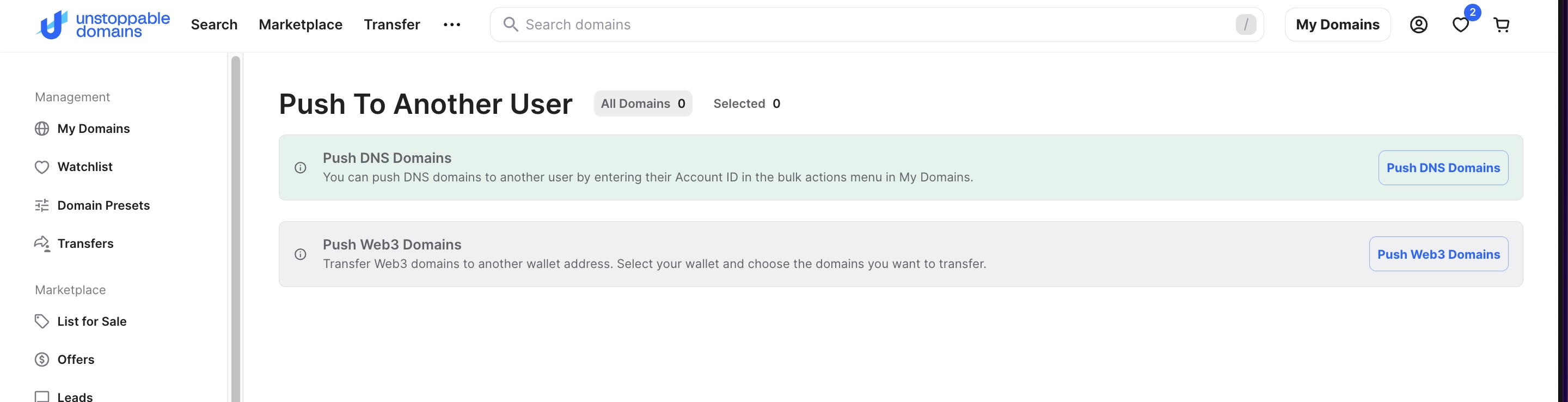
Select the wallet where you hold your domains in self-custody from the wallet dropdown menu section.
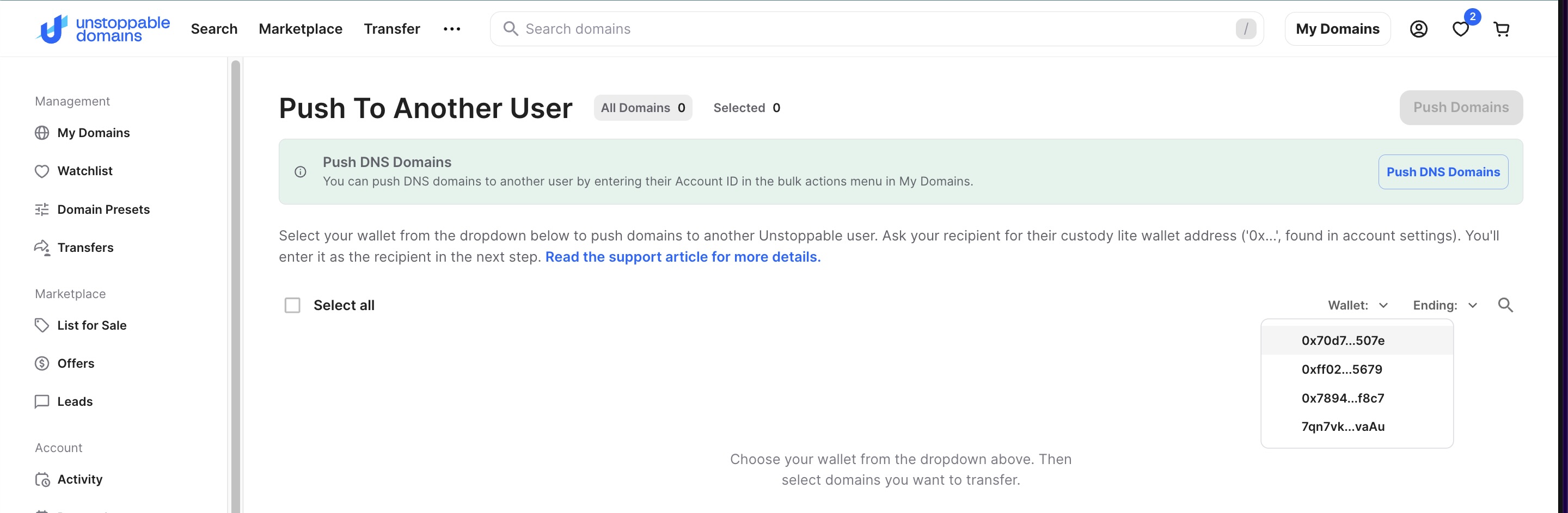
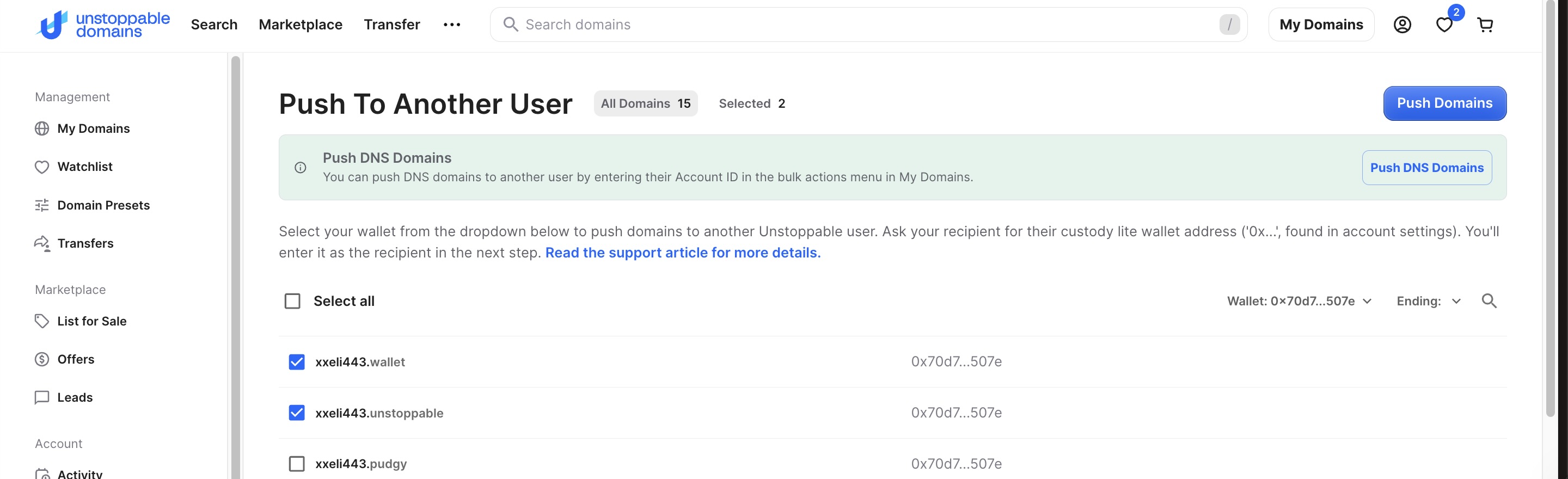
Select the checkboxes next to the domains you wish to transfer. Then, select "Push Domains" towards the top right.
Enter/Copy and Paste your Custody Wallet address, check the necessary boxes, and click "Transfer Domains":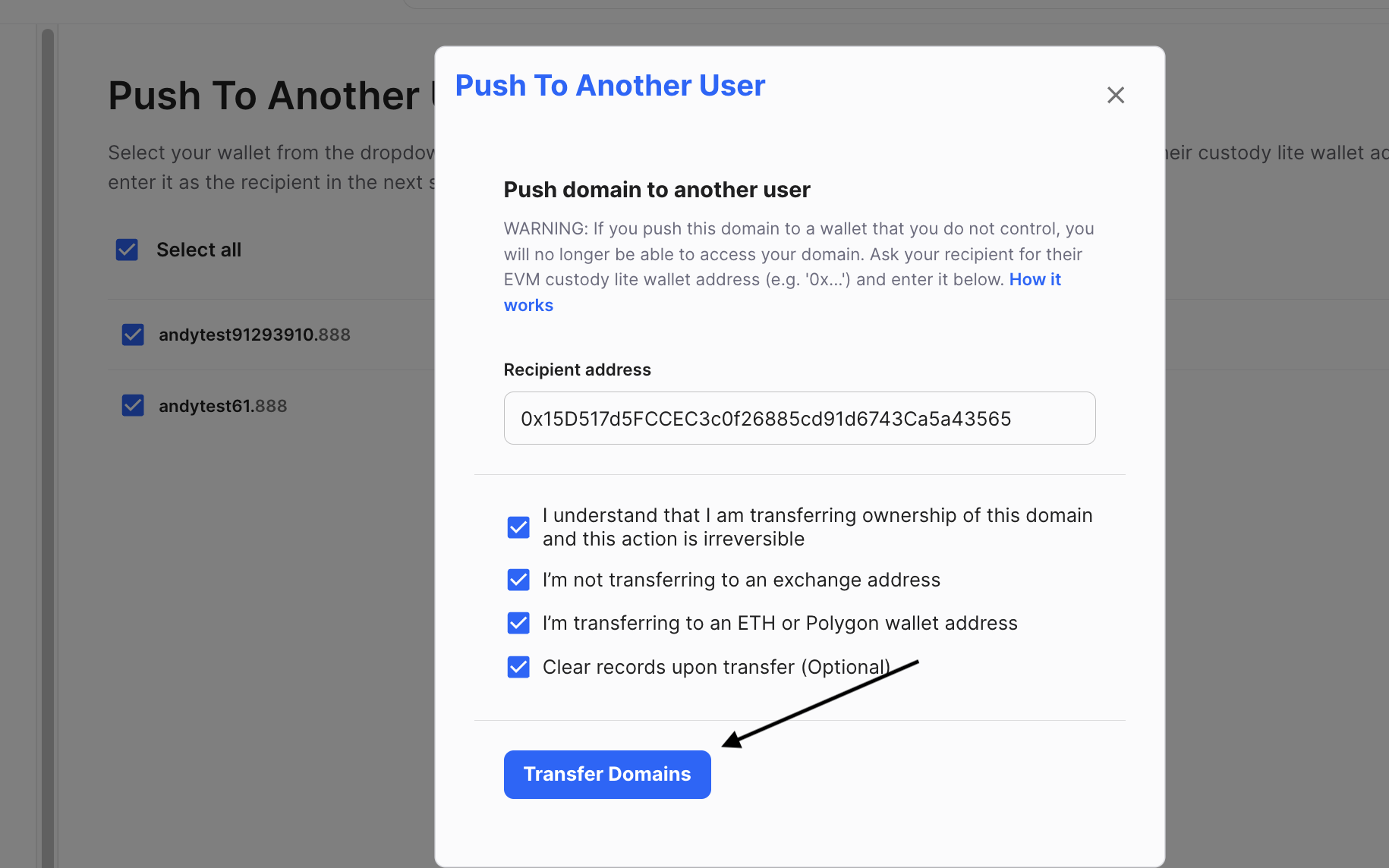
The process should take 5-10 minutes, but can take longer during periods of heavy congestion on the blockchain. Please write to support@unstoppabledomains.com with any questions.